5-The_Datasets_library-5-Semantic_search_with_FAISS
中英文对照学习,效果更佳!
原课程链接:https://huggingface.co/course/chapter5/6?fw=pt
Semantic search with FAISS
基于Faiss的语义搜索



In section 5, we created a dataset of GitHub issues and comments from the 🤗 Datasets repository. In this section we’ll use this information to build a search engine that can help us find answers to our most pressing questions about the library!
在第5节中,我们从🤗数据集存储库中创建了GitHub问题和评论的数据集。在这一部分,我们将使用这些信息来构建一个搜索引擎,帮助我们找到关于图书馆最紧迫的问题的答案!
Using embeddings for semantic search
使用嵌入进行语义搜索
As we saw in [Chapter 1], Transformer-based language models represent each token in a span of text as an embedding vector. It turns out that one can “pool” the individual embeddings to create a vector representation for whole sentences, paragraphs, or (in some cases) documents. These embeddings can then be used to find similar documents in the corpus by computing the dot-product similarity (or some other similarity metric) between each embedding and returning the documents with the greatest overlap.
正如我们在第1章中看到的,基于Transformer的语言模型将文本范围中的每个标记表示为嵌入向量。事实证明,人们可以“汇集”单独的嵌入来为整个句子、段落或(在某些情况下)文档创建向量表示。然后,可以使用这些嵌入在语料库中查找相似的文档,方法是计算每次嵌入之间的点积相似度(或其他一些相似度量),并返回重叠最大的文档。
In this section we’ll use embeddings to develop a semantic search engine. These search engines offer several advantages over conventional approaches that are based on matching keywords in a query with the documents.
在本节中,我们将使用嵌入来开发一个语义搜索引擎。与基于将查询中的关键字与文档匹配的传统方法相比,这些搜索引擎提供了几个优点。
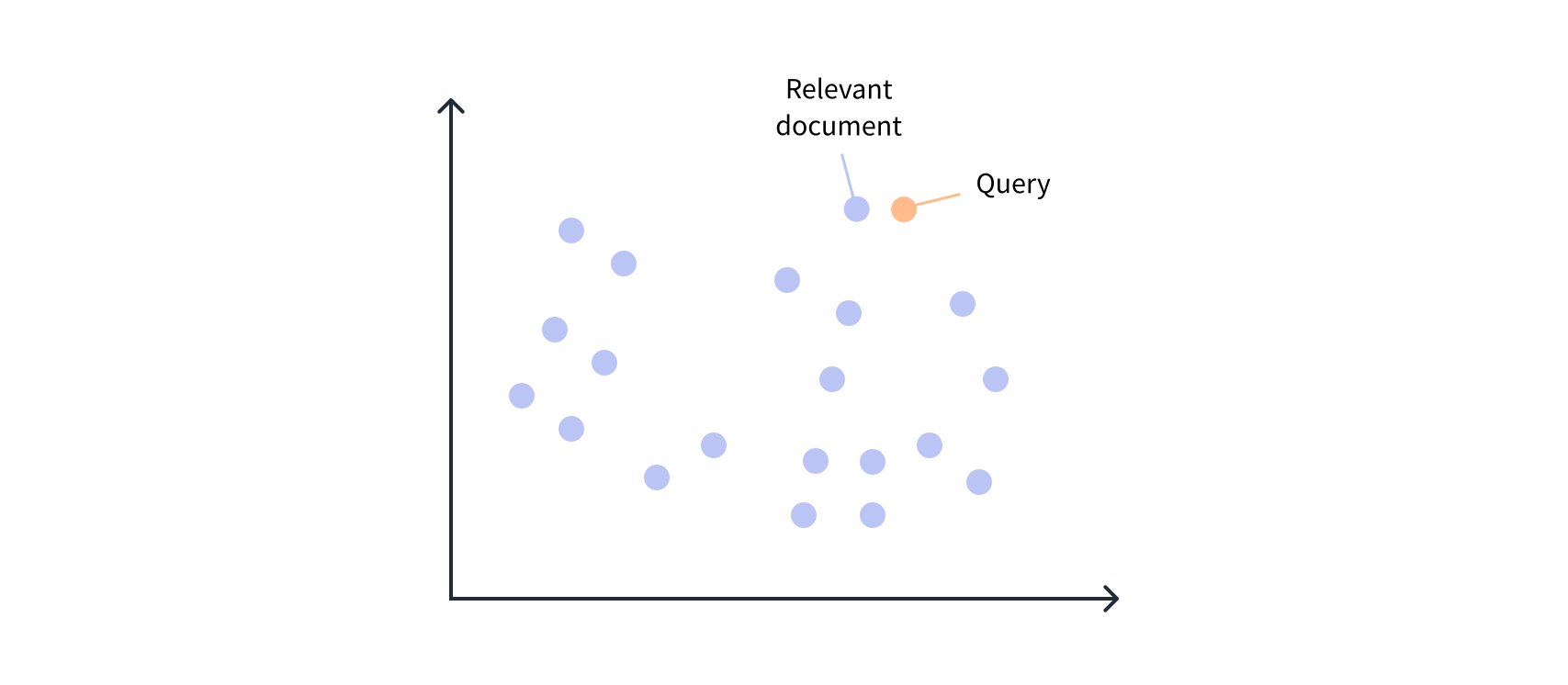
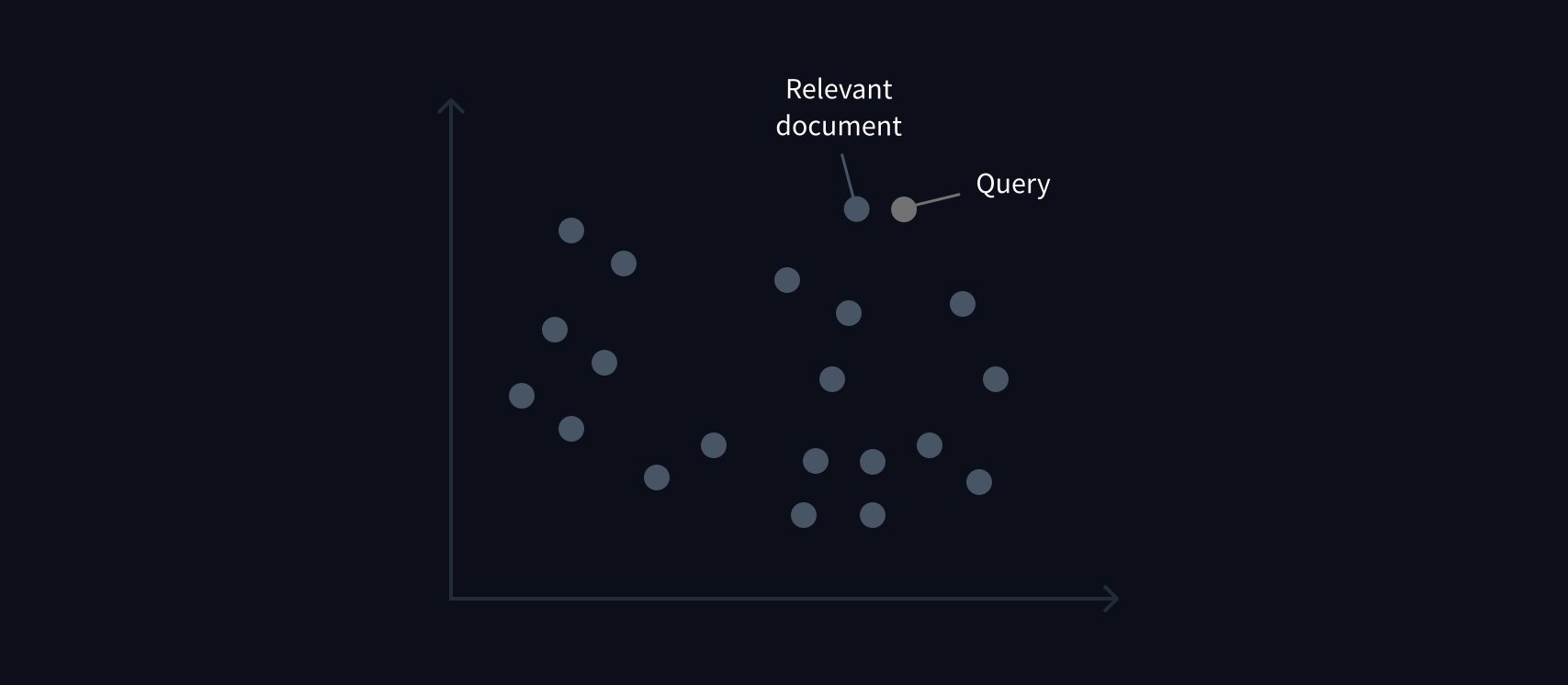
语义搜索。语义搜索。
Loading and preparing the dataset
加载和准备数据集
The first thing we need to do is download our dataset of GitHub issues, so let’s use load_dataset() function as usual:
我们首先要做的是下载GitHub问题的数据集,所以让我们像往常一样使用Load_DataSet()函数:
1 | |
1 | |
Here we’ve specified the default train split in load_dataset(), so it returns a Dataset instead of a DatasetDict. The first order of business is to filter out the pull requests, as these tend to be rarely used for answering user queries and will introduce noise in our search engine. As should be familiar by now, we can use the Dataset.filter() function to exclude these rows in our dataset. While we’re at it, let’s also filter out rows with no comments, since these provide no answers to user queries:
这里我们在Load_DataSet()中指定了默认的Train拆分,所以它返回一个Dataset,而不是一个DatasetDict。当务之急是过滤掉Pull请求,因为这些请求很少用于回答用户查询,而且会给我们的搜索引擎带来噪音。现在我们应该很熟悉了,我们可以使用Dataset.Filter()函数在我们的数据集中排除这些行。同时,让我们也过滤掉没有注释的行,因为这些行不能为用户查询提供答案:
1 | |
1 | |
We can see that there are a lot of columns in our dataset, most of which we don’t need to build our search engine. From a search perspective, the most informative columns are title, body, and comments, while html_url provides us with a link back to the source issue. Let’s use the Dataset.remove_columns() function to drop the rest:
我们可以看到,我们的数据集中有很多列,其中大多数不需要构建我们的搜索引擎。从搜索的角度来看,信息量最大的栏是标题、正文和评论,而html_url为我们提供了一个指向源问题的链接。让我们使用Dataset.Remove_Columns()函数来丢弃其余部分:
1 | |
1 | |
To create our embeddings we’ll augment each comment with the issue’s title and body, since these fields often include useful contextual information. Because our comments column is currently a list of comments for each issue, we need to “explode” the column so that each row consists of an (html_url, title, body, comment) tuple. In Pandas we can do this with the DataFrame.explode() function, which creates a new row for each element in a list-like column, while replicating all the other column values. To see this in action, let’s first switch to the Pandas DataFrame format:
为了创建我们的嵌入,我们将在每个评论中添加问题的标题和正文,因为这些字段通常包含有用的上下文信息。因为我们的Comments列当前是每个问题的评论列表,所以我们需要“分解”该列,以便每一行都包含一个(html_url,标题,正文,评论)元组。在Pandas中,我们可以使用DataFrame.explde()函数来实现这一点,该函数为类似列表的列中的每个元素创建一个新行,同时复制所有其他列值。为了看到这一点的实际效果,我们首先切换到PandasDataFrame格式:
1 | |
If we inspect the first row in this DataFrame we can see there are four comments associated with this issue:
如果我们检查这个DataFrame中的第一行,我们可以看到与这个问题相关的四条评论:
1 | |
1 | |
When we explode df, we expect to get one row for each of these comments. Let’s check if that’s the case:
当我们分解df时,我们希望这些评论各占一行。让我们来看看是不是这样:
1 | |
| html_url Html_url | title 标题 | comments 评论 | body 身躯 | |
|---|---|---|---|---|
| 0 0 | https://github.com/huggingface/datasets/issues/2787 Https://github.com/huggingface/datasets/issues/2787 | ConnectionError: Couldn’t reach https://raw.githubusercontent.com 连接错误:无法访问https://raw.githubusercontent.com | the bug code locate in :\r\n if data_args.task_name is not None… 错误代码位于:\r\n如果data_args.task_name不是NONE… | Hello,\r\nI am trying to run run_glue.py and it gives me this error… 您好,\r\n我正在尝试运行run_gle.py,结果出现此错误… |
| 1 1 | https://github.com/huggingface/datasets/issues/2787 Https://github.com/huggingface/datasets/issues/2787 | ConnectionError: Couldn’t reach https://raw.githubusercontent.com 连接错误:无法访问https://raw.githubusercontent.com | Hi @jinec,\r\n\r\nFrom time to time we get this kind of Hi@jinec,\r\n\r\n我们不时会收到这样的ConnectionError coming from the github.com website: https://raw.githubusercontent.com… 来自GATHUB.com网站的连接错误:https://raw.githubusercontent.com… |
Hello,\r\nI am trying to run run_glue.py and it gives me this error… 您好,\r\n我正在尝试运行run_gle.py,结果出现此错误… |
| 2 2. | https://github.com/huggingface/datasets/issues/2787 Https://github.com/huggingface/datasets/issues/2787 | ConnectionError: Couldn’t reach https://raw.githubusercontent.com 连接错误:无法访问https://raw.githubusercontent.com | cannot connect,even by Web browser,please check that there is some problems。 无法连接,即使通过Web浏览器也无法连接,请检查是否有问题。 | Hello,\r\nI am trying to run run_glue.py and it gives me this error… 您好,\r\n我正在尝试运行run_gle.py,结果出现此错误… |
| 3 3. | https://github.com/huggingface/datasets/issues/2787 Https://github.com/huggingface/datasets/issues/2787 | ConnectionError: Couldn’t reach https://raw.githubusercontent.com 连接错误:无法访问https://raw.githubusercontent.com | I can access https://raw.githubusercontent.com/huggingface/datasets/1.7.0/datasets/glue/glue.py without problem… 我可以毫无问题地访问https://raw.githubusercontent.com/huggingface/datasets/1.7.0/datasets/glue/glue.py… | Hello,\r\nI am trying to run run_glue.py and it gives me this error… 您好,\r\n我正在尝试运行run_gle.py,结果出现此错误… |
Great, we can see the rows have been replicated, with the comments column containing the individual comments! Now that we’re finished with Pandas, we can quickly switch back to a Dataset by loading the DataFrame in memory:
太好了,我们可以看到行已经被复制了,其中的Comments列包含了单独的评论!现在我们完成了Pandas,我们可以通过在内存中加载DataFrame来快速切换回Dataset:
1 | |
1 | |
Okay, this has given us a few thousand comments to work with!
好的,这给了我们几千条评论来处理!
✏️ Try it out! See if you can use Dataset.map() to explode the comments column of issues_dataset without resorting to the use of Pandas. This is a little tricky; you might find the “Batch mapping” section of the 🤗 Datasets documentation useful for this task.
✏️试试看吧!看看是否可以使用Dataset.map()分解Issues_Dataset的Comments列,而不使用Pandas。这有点棘手;您可能会发现🤗数据集文档的“批处理映射”部分对此任务很有用。
Now that we have one comment per row, let’s create a new comments_length column that contains the number of words per comment:
现在我们每行有一个注释,让我们创建一个新的Comments_Length列,其中包含每个注释的字数:
1 | |
We can use this new column to filter out short comments, which typically include things like “cc @lewtun” or “Thanks!” that are not relevant for our search engine. There’s no precise number to select for the filter, but around 15 words seems like a good start:
我们可以使用这个新专栏来过滤简短的评论,这些评论通常包括“cc@lewtun”或“谢谢!”之类的内容。与我们的搜索引擎无关的内容。没有为过滤器选择确切的数字,但大约15个单词似乎是一个很好的开始:
1 | |
1 | |
Having cleaned up our dataset a bit, let’s concatenate the issue title, description, and comments together in a new text column. As usual, we’ll write a simple function that we can pass to Dataset.map():
清理了一下我们的数据集之后,让我们将问题标题、描述和评论连接在一个新的ext列中。像往常一样,我们将编写一个简单的函数,可以传递给Dataset.map():
1 | |
We’re finally ready to create some embeddings! Let’s take a look.
我们终于准备好创建一些嵌入了!让我们来看看。
Creating text embeddings
创建文本嵌入
We saw in [Chapter 2] that we can obtain token embeddings by using the AutoModel class. All we need to do is pick a suitable checkpoint to load the model from. Fortunately, there’s a library called sentence-transformers that is dedicated to creating embeddings. As described in the library’s documentation, our use case is an example of asymmetric semantic search because we have a short query whose answer we’d like to find in a longer document, like a an issue comment. The handy model overview table in the documentation indicates that the multi-qa-mpnet-base-dot-v1 checkpoint has the best performance for semantic search, so we’ll use that for our application. We’ll also load the tokenizer using the same checkpoint:
我们在第二章中看到,我们可以使用AutoModel类来获得令牌嵌入。我们所需要做的就是选择一个合适的检查点来加载模型。幸运的是,有一个名为‘语句Transformer’的库专门用于创建嵌入。正如该库的文档中所描述的,我们的用例是非对称语义搜索的一个示例,因为我们有一个简短的查询,我们希望在较长的文档中找到其答案,比如问题评论。文档中方便的模型概览表表明,more-qa-mpnet-base-point-v1检查点的语义搜索性能最好,因此我们将其用于我们的应用程序。我们还将使用相同的检查点加载令牌化器:
1 | |
To speed up the embedding process, it helps to place the model and inputs on a GPU device, so let’s do that now:
为了加快嵌入过程,将模型和输入放在GPU设备上是很有帮助的,所以让我们现在就这样做:
1 | |
As we mentioned earlier, we’d like to represent each entry in our GitHub issues corpus as a single vector, so we need to “pool” or average our token embeddings in some way. One popular approach is to perform CLS pooling on our model’s outputs, where we simply collect the last hidden state for the special [CLS] token. The following function does the trick for us:
正如我们前面提到的,我们希望将GitHub发布语料库中的每个条目表示为单个向量,因此我们需要以某种方式“汇集”或平均我们的令牌嵌入。一种流行的方法是对模型的输出执行CLS池,在这种情况下,我们只需收集特殊`[cls]‘标记的最后一个隐藏状态。下面的函数为我们做了这件事:
1 | |
Next, we’ll create a helper function that will tokenize a list of documents, place the tensors on the GPU, feed them to the model, and finally apply CLS pooling to the outputs:
接下来,我们将创建一个帮助器函数,该函数将对文档列表进行标记化,将张量放置在GPU上,将它们提供给模型,最后将CLS池化应用于输出:
1 | |
We can test the function works by feeding it the first text entry in our corpus and inspecting the output shape:
我们可以通过将语料库中的第一个文本条目提供给它并检查输出形状来测试函数的工作:
1 | |
1 | |
Great, we’ve converted the first entry in our corpus into a 768-dimensional vector! We can use Dataset.map() to apply our get_embeddings() function to each row in our corpus, so let’s create a new embeddings column as follows:
很好,我们已经将语料库中的第一个条目转换为768维向量!我们可以使用Dataset.map()将get_embedding()函数应用于语料库中的每一行,因此让我们创建一个新的embeddings列,如下所示:
1 | |
Notice that we’ve converted the embeddings to NumPy arrays — that’s because 🤗 Datasets requires this format when we try to index them with FAISS, which we’ll do next.
请注意,我们已经将嵌入转换为NumPy数组-这是因为当我们尝试使用Faiss对其进行索引时,🤗数据集需要这种格式,这是我们接下来要做的。
Using FAISS for efficient similarity search
使用FAISS进行高效的相似性搜索
Now that we have a dataset of embeddings, we need some way to search over them. To do this, we’ll use a special data structure in 🤗 Datasets called a FAISS index. FAISS (short for Facebook AI Similarity Search) is a library that provides efficient algorithms to quickly search and cluster embedding vectors.
现在我们已经有了嵌入的数据集,我们需要一些方法来搜索它们。为此,我们将在🤗数据集中使用一种特殊的数据结构,称为Faiss索引。Faiss(Facebook AI相似性搜索的缩写)是一个库,它提供了快速搜索和集群嵌入向量的高效算法。
The basic idea behind FAISS is to create a special data structure called an index that allows one to find which embeddings are similar to an input embedding. Creating a FAISS index in 🤗 Datasets is simple — we use the Dataset.add_faiss_index() function and specify which column of our dataset we’d like to index:
Faiss背后的基本思想是创建一种特殊的数据结构,称为索引,它允许用户找到哪些嵌入与输入嵌入相似。在🤗数据集中创建Faiss索引很简单–我们使用Dataset.addFaiss_index()函数并指定要索引数据集中的哪一列:
1 | |
We can now perform queries on this index by doing a nearest neighbor lookup with the Dataset.get_nearest_examples() function. Let’s test this out by first embedding a question as follows:
现在,我们可以通过使用Dataset.get_NEAREST_EXMANCES()函数执行最近邻查找来对该索引执行查询。让我们通过首先插入如下问题来进行测试:
1 | |
1 | |
Just like with the documents, we now have a 768-dimensional vector representing the query, which we can compare against the whole corpus to find the most similar embeddings:
就像文档一样,我们现在有一个代表查询的768维向量,我们可以将其与整个语料库进行比较,以找到最相似的嵌入:
1 | |
The Dataset.get_nearest_examples() function returns a tuple of scores that rank the overlap between the query and the document, and a corresponding set of samples (here, the 5 best matches). Let’s collect these in a pandas.DataFrame so we can easily sort them:
函数的作用是:返回一个对查询和文档之间的重叠部分进行排名的分数元组,以及相应的一组样本(这里是5个最佳匹配项)。让我们将它们收集到一个anda as.DataFrame中,这样我们就可以轻松地对它们进行排序:
1 | |
Now we can iterate over the first few rows to see how well our query matched the available comments:
现在,我们可以遍历前几行,以查看我们的查询与可用注释的匹配程度:
1 | |
1 | |
import datasets
data = datasets.load_dataset(…)
data.save_to_disk(/YOUR/DATASET/DIR)
2
3
4
5
2. copy the dir from online to the offline machine

3. (offline machine)
import datasets
data = datasets.load_from_disk(/SAVED/DATA/DIR)
2
3
4
5
6
7
8
9
10
11
12
13
14
15
16
17
18
19
20
21
22
23
24
25
26
27
28
29
30
31
HTH.


SCORE: 22.893993377685547
TITLE: Discussion using datasets in offline mode
URL: https://github.com/huggingface/datasets/issues/824
==================================================

COMMENT: here is my way to load a dataset offline, but it **requires** an online machine
1. (online machine)
\`\`\`
import datasets
data = datasets.load_dataset(...)
data.save_to_disk(/YOUR/DATASET/DIR)
\`\`\`
2. copy the dir from online to the offline machine
3. (offline machine)
\`\`\`
import datasets
data = datasets.load_from_disk(/SAVED/DATA/DIR)
\`\`\`

HTH.
SCORE: 22.406635284423828
TITLE: Discussion using datasets in offline mode
URL: https://github.com/huggingface/datasets/issues/824
==================================================
"""
Not bad! Our second hit seems to match the query.
还不错!我们的第二个匹配似乎与查询相符。
✏️ Try it out! Create your own query and see whether you can find an answer in the retrieved documents. You might have to increase the k parameter in Dataset.get_nearest_examples() to broaden the search.
✏️试试看吧!创建您自己的查询,看看是否可以在检索到的文档中找到答案。您可能需要增加Dataset.Get_NEAREST_Examples()中的k参数以扩大搜索范围。