2-Using_Transformers-1-Behind_the_pipeline
中英文对照学习,效果更佳!
原课程链接:https://huggingface.co/course/chapter2/2?fw=pt
Behind the pipeline
在管道后面



This is the first section where the content is slightly different depending on whether you use PyTorch or TensorFlow. Toggle the switch on top of the title to select the platform you prefer!
提问在Colab中打开在Studio Lab中打开这是第一个部分,内容略有不同,具体取决于您使用的是PyTorch还是TensorFlow。切换标题上方的开关以选择您喜欢的平台!
Let’s start with a complete example, taking a look at what happened behind the scenes when we executed the following code in [Chapter 1]:
让我们从一个完整的示例开始,看看当我们在第1章中执行以下代码时幕后发生了什么:
1 | |
and obtained:
并获得:
1 | |
As we saw in [Chapter 1], this pipeline groups together three steps: preprocessing, passing the inputs through the model, and postprocessing:
正如我们在第1章中看到的,此管道将三个步骤组合在一起:预处理、通过模型传递输入和后处理:
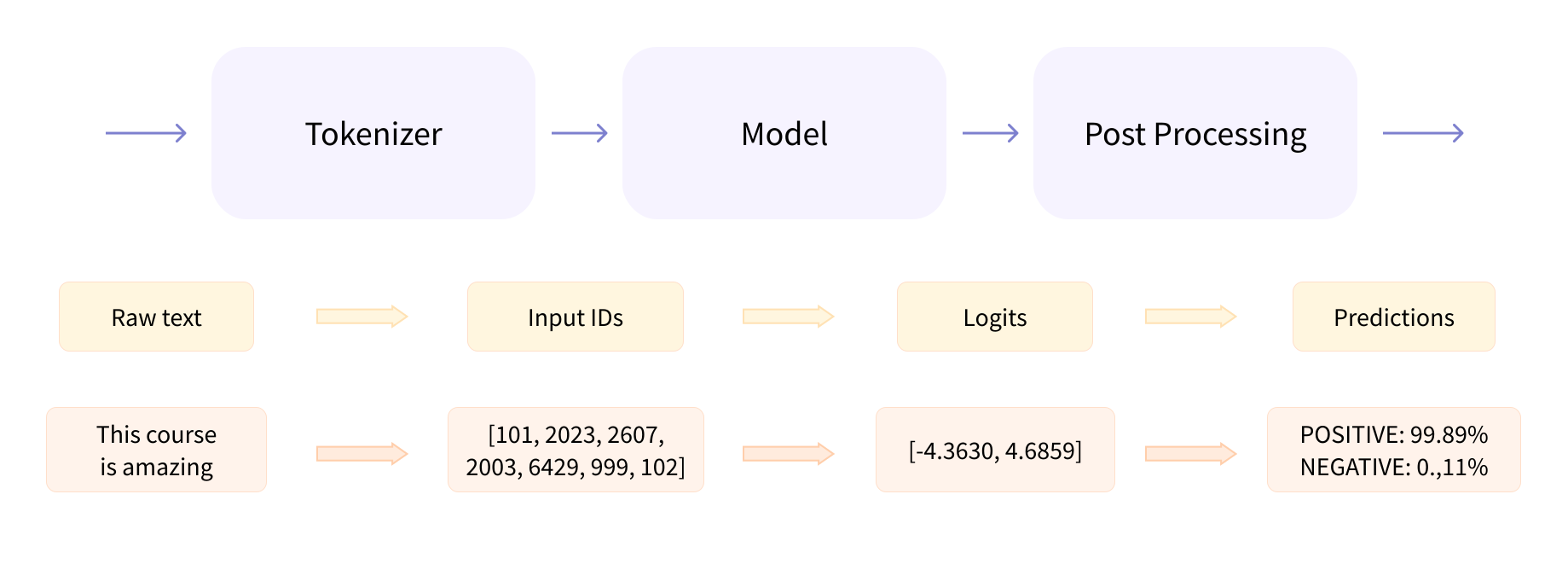
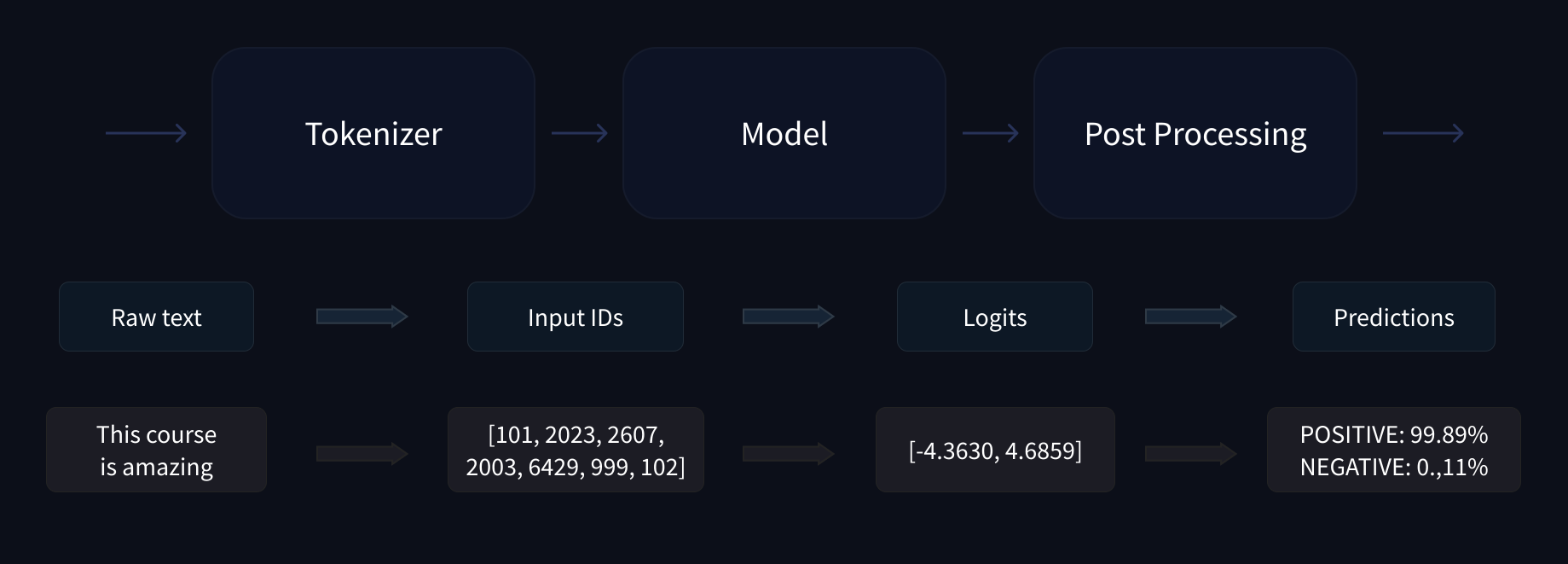
Let’s quickly go over each of these.
完整的NLP管道:文本的标记化、到ID的转换,以及通过Transformer模型和模型头进行推理。完整的NLP管道:文本的标记化、到ID的转换,以及通过Transformer模型和模型头进行推理。让我们快速浏览一下其中的每一个。
Preprocessing with a tokenizer
使用标记器进行的预处理
Like other neural networks, Transformer models can’t process raw text directly, so the first step of our pipeline is to convert the text inputs into numbers that the model can make sense of. To do this we use a tokenizer, which will be responsible for:
像其他神经网络一样,Transformer模型不能直接处理原始文本,因此我们的第一步是将文本输入转换为模型可以理解的数字。为此,我们使用令牌器,它将负责:
- Splitting the input into words, subwords, or symbols (like punctuation) that are called tokens
- Mapping each token to an integer
- Adding additional inputs that may be useful to the model
All this preprocessing needs to be done in exactly the same way as when the model was pretrained, so we first need to download that information from the Model Hub. To do this, we use the AutoTokenizer class and its from_pretrained() method. Using the checkpoint name of our model, it will automatically fetch the data associated with the model’s tokenizer and cache it (so it’s only downloaded the first time you run the code below).
将输入拆分为单词、子词或符号(如标点符号),称为令牌将每个令牌映射到一个整数添加可能对模型有用的其他输入所有这些预处理需要以与模型预训练时完全相同的方式完成,因此我们首先需要从Model Hub下载信息。为此,我们使用AutoTokenizer类及其From_PreTraded()方法。使用我们模型的检查点名称,它将自动获取与模型的记号赋值器相关联的数据并缓存它(因此,只有在您第一次运行下面的代码时才会下载它)。
Since the default checkpoint of the sentiment-analysis pipeline is distilbert-base-uncased-finetuned-sst-2-english (you can see its model card here), we run the following:
由于情绪分析管道的默认检查点是distilbert-base-uncased-finetuned-sst-2-english(您可以在这里看到它的模型卡),所以我们运行以下命令:
1 | |
Once we have the tokenizer, we can directly pass our sentences to it and we’ll get back a dictionary that’s ready to feed to our model! The only thing left to do is to convert the list of input IDs to tensors.
一旦我们有了记号赋值器,我们就可以直接把我们的句子传递给它,我们就会得到一个准备好提供给我们的模型的词典!剩下的唯一要做的就是将输入ID列表转换为张量。
You can use 🤗 Transformers without having to worry about which ML framework is used as a backend; it might be PyTorch or TensorFlow, or Flax for some models. However, Transformer models only accept tensors as input. If this is your first time hearing about tensors, you can think of them as NumPy arrays instead. A NumPy array can be a scalar (0D), a vector (1D), a matrix (2D), or have more dimensions. It’s effectively a tensor; other ML frameworks’ tensors behave similarly, and are usually as simple to instantiate as NumPy arrays.
您可以使用🤗Transformers,而不必担心将哪个ML框架用作后端;对于某些模型,它可能是PyTorch、TensorFlow或Flax。但是,Transformer模型只接受张量作为输入。如果这是您第一次听说张量,您可以将其视为NumPy数组。NumPy数组可以是标量(0D)、向量(1D)、矩阵(2D)或更多维。它实际上是一个张量;其他ML框架的张量的行为类似,并且通常像NumPy数组一样易于实例化。
To specify the type of tensors we want to get back (PyTorch, TensorFlow, or plain NumPy), we use the return_tensors argument:
要指定要返回的张量类型(PyTorch、TensorFlow或普通NumPy),我们使用Return_tensors参数:
1 | |
Don’t worry about padding and truncation just yet; we’ll explain those later. The main things to remember here are that you can pass one sentence or a list of sentences, as well as specifying the type of tensors you want to get back (if no type is passed, you will get a list of lists as a result).
现在还不用担心填充和截断;我们稍后会解释这些内容。这里要记住的主要事情是,您可以传递一个句子或一个句子列表,并指定要返回的张量类型(如果没有传递类型,则结果将得到一个列表列表)。
Here’s what the results look like as PyTorch tensors:
以下是作为PyTorch张量的结果:
1 | |
The output itself is a dictionary containing two keys, input_ids and attention_mask. input_ids contains two rows of integers (one for each sentence) that are the unique identifiers of the tokens in each sentence. We’ll explain what the attention_mask is later in this chapter.
输出本身就是一个字典,其中包含两个键:input_ids和note_mask。inputids包含两行整数(每句话一个),它们是每句话中令牌的唯一标识符。在本章的后面部分,我们将解释什么是`须知_掩码‘。
Going through the model
浏览模型
We can download our pretrained model the same way we did with our tokenizer. 🤗 Transformers provides an AutoModel class which also has a from_pretrained() method:
我们可以像下载记号赋值器一样下载预先训练好的模型。🤗Transformer提供了一个AutoModel类,该类也有一个From_PreTraded()方法:
1 | |
In this code snippet, we have downloaded the same checkpoint we used in our pipeline before (it should actually have been cached already) and instantiated a model with it.
在这段代码中,我们下载了以前在流水线中使用的相同检查点(它实际上应该已经被缓存),并用它实例化了一个模型。
This architecture contains only the base Transformer module: given some inputs, it outputs what we’ll call hidden states, also known as features. For each model input, we’ll retrieve a high-dimensional vector representing the contextual understanding of that input by the Transformer model.
该体系结构只包含基本的Transformer模块:给定一些输入,它将输出我们所称的隐藏状态,也称为功能。对于每个模型输入,我们将检索一个高维向量,表示Transformer模型对该输入的上下文理解。
If this doesn’t make sense, don’t worry about it. We’ll explain it all later.
如果这说不通,也不用担心。我们稍后会解释的。
While these hidden states can be useful on their own, they’re usually inputs to another part of the model, known as the head. In [Chapter 1], the different tasks could have been performed with the same architecture, but each of these tasks will have a different head associated with it.
虽然这些隐藏状态本身可能很有用,但它们通常是模型的另一个部分(称为头部)的输入。在第1章中,可以使用相同的体系结构执行不同的任务,但这些任务中的每一个都将具有不同的关联头部。
A high-dimensional vector?
高维向量?
The vector output by the Transformer module is usually large. It generally has three dimensions:
Transformer模块的矢量输出通常很大。它一般有三个维度:
- Batch size: The number of sequences processed at a time (2 in our example).
- Sequence length: The length of the numerical representation of the sequence (16 in our example).
- Hidden size: The vector dimension of each model input.
It is said to be “high dimensional” because of the last value. The hidden size can be very large (768 is common for smaller models, and in larger models this can reach 3072 or more).
批量大小:一次处理的序列的数量(在我们的示例中为2)。序列长度:序列的数字表示的长度(在我们的示例中为16)。隐藏大小:每个模型输入的向量维。由于最后一个值,它被称为“高维”。隐藏的尺寸可能非常大(768对于较小的型号是常见的,而在较大的型号中可以达到3072或更多)。
We can see this if we feed the inputs we preprocessed to our model:
如果我们将经过预处理的输入提供给我们的模型,就可以看到这一点:
1 | |
1 | |
Note that the outputs of 🤗 Transformers models behave like namedtuples or dictionaries. You can access the elements by attributes (like we did) or by key (outputs["last_hidden_state"]), or even by index if you know exactly where the thing you are looking for is (outputs[0]).
请注意,🤗Transformers模型的输出行为类似于命名元组或词典。您可以通过属性(就像我们所做的那样)或通过键(outputs[“LAST_HIDDED_STATE”])来访问元素,甚至可以通过索引来访问元素,如果您确切地知道要查找的东西在哪里的话(outputs[0])。
Model heads: Making sense out of numbers
模特儿:从数字中找出意义
The model heads take the high-dimensional vector of hidden states as input and project them onto a different dimension. They are usually composed of one or a few linear layers:
模型头部将隐藏状态的高维向量作为输入,并将其投影到不同的维度上。它们通常由一个或几个线性层组成:
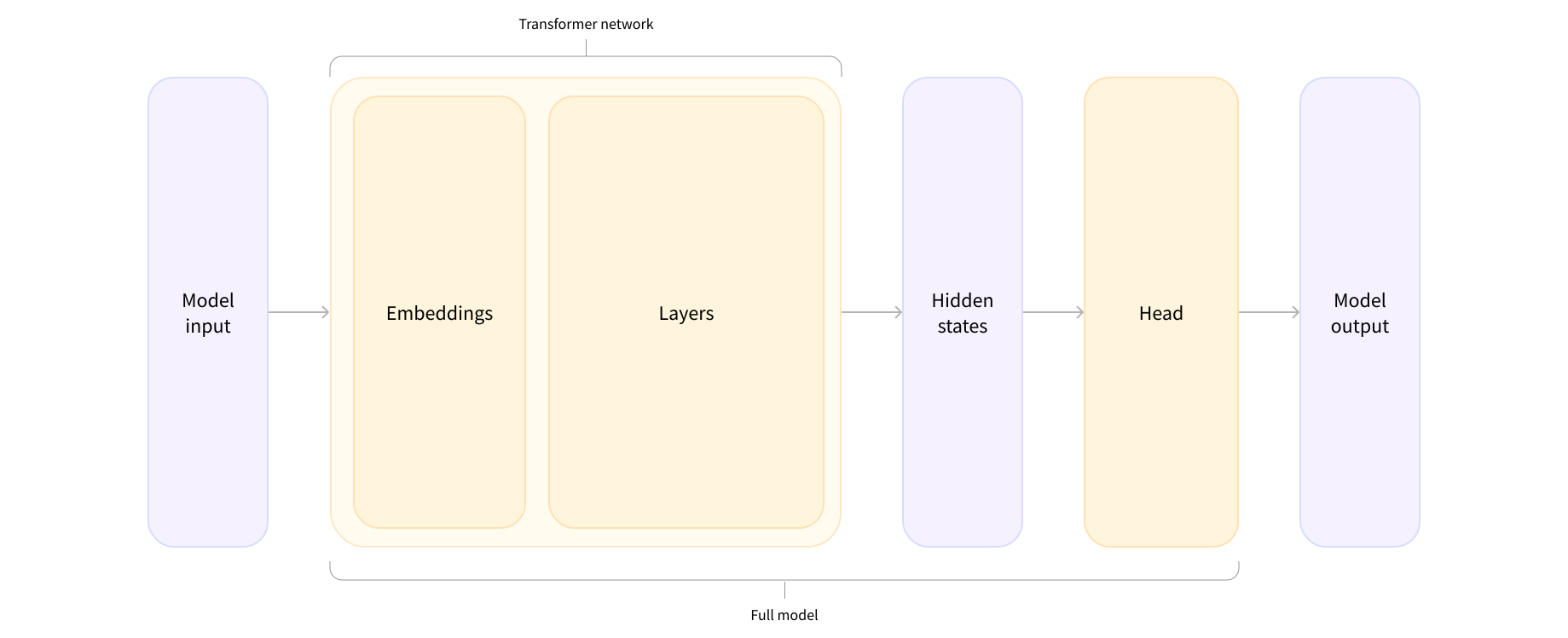
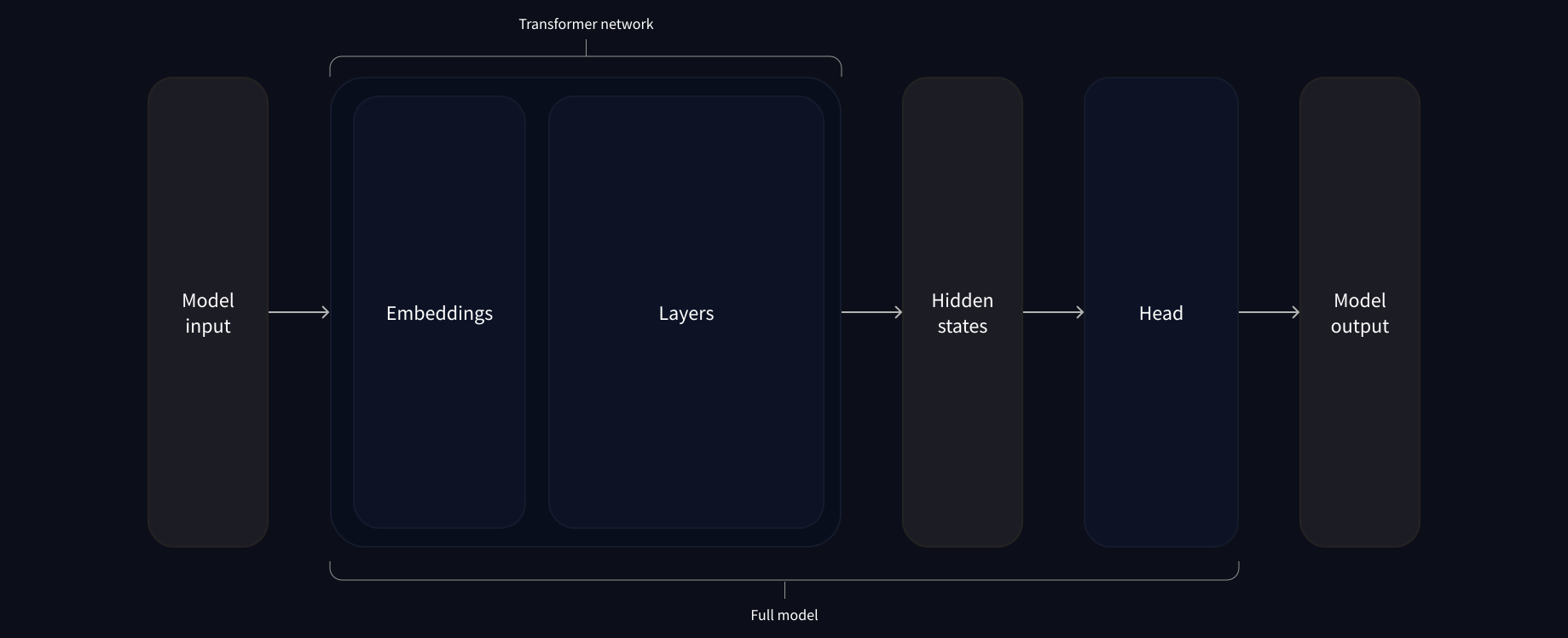
The output of the Transformer model is sent directly to the model head to be processed.
一个Transformer的网络靠近它的头。一个Transformer的网络靠近它的头。Transformer模型的输出被直接发送到模型头部进行处理。
In this diagram, the model is represented by its embeddings layer and the subsequent layers. The embeddings layer converts each input ID in the tokenized input into a vector that represents the associated token. The subsequent layers manipulate those vectors using the attention mechanism to produce the final representation of the sentences.
在此图中,模型由其嵌入层和后续层表示。嵌入层将标记化输入中的每个输入ID转换为表示相关令牌的向量。随后的层使用注意机制来操纵这些向量,以产生句子的最终表示。
There are many different architectures available in 🤗 Transformers, with each one designed around tackling a specific task. Here is a non-exhaustive list:
在🤗Transformers中有许多不同的架构,每一种架构都是围绕处理特定任务而设计的。以下是一份非详尽的清单:
*Model(retrieve the hidden states)*ForCausalLM*ForMaskedLM*ForMultipleChoice*ForQuestionAnswering*ForSequenceClassification*ForTokenClassification- and others 🤗
For our example, we will need a model with a sequence classification head (to be able to classify the sentences as positive or negative). So, we won’t actually use the AutoModel class, but AutoModelForSequenceClassification:
`*Model(检索隐藏的states)*ForCausalLM*ForMaskedLM*ForMultipleChoice*ForQuestionAnswering*ForSequenceClassification``*ForTokenClassificationand Other🤗对于我们的示例,我们需要一个具有序列分类头的模型(以便能够将句子分类为积极或消极)。因此,我们不会实际使用AutoModel类,而是使用AutoModelForSequenceClassication`:
1 | |
Now if we look at the shape of our outputs, the dimensionality will be much lower: the model head takes as input the high-dimensional vectors we saw before, and outputs vectors containing two values (one per label):
现在,如果我们查看输出的形状,维度将会低得多:模型头部将我们之前看到的高维向量作为输入,并输出包含两个值的向量(每个标签一个):
1 | |
1 | |
Since we have just two sentences and two labels, the result we get from our model is of shape 2 x 2.
因为我们只有两个句子和两个标签,所以我们从模型中得到的结果是2x2。
Postprocessing the output
对输出进行后处理
The values we get as output from our model don’t necessarily make sense by themselves. Let’s take a look:
我们从模型中获得的输出值本身并不一定有意义。让我们来看看:
1 | |
1 | |
Our model predicted [-1.5607, 1.6123] for the first sentence and [ 4.1692, -3.3464] for the second one. Those are not probabilities but logits, the raw, unnormalized scores outputted by the last layer of the model. To be converted to probabilities, they need to go through a SoftMax layer (all 🤗 Transformers models output the logits, as the loss function for training will generally fuse the last activation function, such as SoftMax, with the actual loss function, such as cross entropy):
我们的模型预测第一句为[-1.5607,1.6123],第二句为[4.1692,-3.3464]。这些不是概率,而是Logit,模型的最后一层输出的原始的、非标准化的分数。要转换为概率,它们需要经过SoftMax层(所有🤗Transformer模型都会输出Logit,因为用于训练的损失函数通常会将最后一个激活函数(如SoftMax)与实际损失函数(如交叉熵)融合在一起):
1 | |
1 | |
Now we can see that the model predicted [0.0402, 0.9598] for the first sentence and [0.9995, 0.0005] for the second one. These are recognizable probability scores.
现在我们可以看到,模型预测第一句为[0.0402,0.9598],第二句为[0.9995,0.0005]。这些是可识别的概率分数。
To get the labels corresponding to each position, we can inspect the id2label attribute of the model config (more on this in the next section):
要获取每个位置对应的标签,我们可以检查模型配置的id2label属性(下一节将对此进行更多介绍):
1 | |
1 | |
Now we can conclude that the model predicted the following:
现在我们可以得出结论,该模型预测了以下内容:
- First sentence: NEGATIVE: 0.0402, POSITIVE: 0.9598
- Second sentence: NEGATIVE: 0.9995, POSITIVE: 0.0005
We have successfully reproduced the three steps of the pipeline: preprocessing with tokenizers, passing the inputs through the model, and postprocessing! Now let’s take some time to dive deeper into each of those steps.
第一句:否定:0.0402,肯定:0.9598第二句:否定:0.9995,肯定:0.0005我们已经成功地再现了管道的三个步骤:使用令牌器进行预处理、通过模型传递输入和后处理!现在,让我们花一些时间更深入地研究每一个步骤。
✏️ Try it out! Choose two (or more) texts of your own and run them through the sentiment-analysis pipeline. Then replicate the steps you saw here yourself and check that you obtain the same results!
✏️试试看吧!选择两个(或两个以上)你自己的文本,然后通过“情绪分析”管道来运行它们。然后自己重复您在这里看到的步骤,并检查您是否获得了相同的结果!