N13-Bonus_Unit_3-Advanced_Topics_in_Reinforcement_Learning-I8-An_Introduction_to_Godot_RL
中英文对照学习,效果更佳!
原课程链接:https://huggingface.co/deep-rl-course/unit3/glossary?fw=pt
Godot RL Agents
戈多RL代理
Godot RL Agents is an Open Source package that allows video game creators, AI researchers and hobbyists the opportunity to learn complex behaviors for their Non Player Characters or agents.
GodoRL Agents是一个开源程序包,允许视频游戏创建者、人工智能研究人员和业余爱好者有机会学习他们的非玩家角色或代理的复杂行为。
The library provides:
该库提供:
- An interface between games created in the Godot Engine and Machine Learning algorithms running in Python
- Wrappers for four well known rl frameworks: StableBaselines3, CleanRL, Sample Factory and Ray RLLib
- Support for memory-based agents with LSTM or attention based interfaces
- Support for 2D and 3D games
- A suite of AI sensors to augment your agent’s capacity to observe the game world
- Godot and Godot RL Agents are completely free and open source under a very permissive MIT license. No strings attached, no royalties, nothing.
You can find out more about Godot RL agents on their GitHub page or their AAAI-2022 Workshop paper. The library’s creator, Ed Beeching, is a Research Scientist here at Hugging Face.
在四个著名的RL框架:SableBaselines3、CleanRL、Sample Factory和Jray RLIB中创建的游戏和在PythonWrappers中运行的机器学习算法之间的接口支持基于内存的代理和基于LSTM或基于注意的接口支持2D和3D Gamesa一套AI传感器,以增强您的代理观察游戏世界的能力戈多和戈多RL代理在非常许可的MIT许可下是完全自由和开源的。没有附加条件,没有版税,什么都没有。你可以在他们的GitHub页面或他们的AAAI-2022研讨会论文上找到更多关于戈多RL代理的信息。图书馆的创建者埃德·比钦是《Hugging Face》的研究科学家。
Create a custom RL environment with Godot RL Agents
使用GoDot RL代理创建自定义RL环境
In this section, you will learn how to create a custom environment in the Godot Game Engine and then implement an AI controller that learns to play with Deep Reinforcement Learning.
在这一部分,你将学习如何在戈多游戏引擎中创建自定义环境,然后实现一个学习玩深度强化学习的AI控制器。
The example game we create today is simple, but shows off many of the features of the Godot Engine and the Godot RL Agents library.You can then dive into the examples for more complex environments and behaviors.
我们今天创建的示例游戏很简单,但展示了GoDot引擎和GoDot RL代理库的许多功能。然后,您可以深入了解更复杂的环境和行为的示例。
The environment we will be building today is called Ring Pong, the game of pong but the pitch is a ring and the paddle moves around the ring. The objective is to keep the ball bouncing inside the ring.
我们今天要营造的环境被称为环式乒乓球,这是一种乒乓球运动,但场地是一个环,球拍在环上移动。目标是让球在场内保持弹跳。
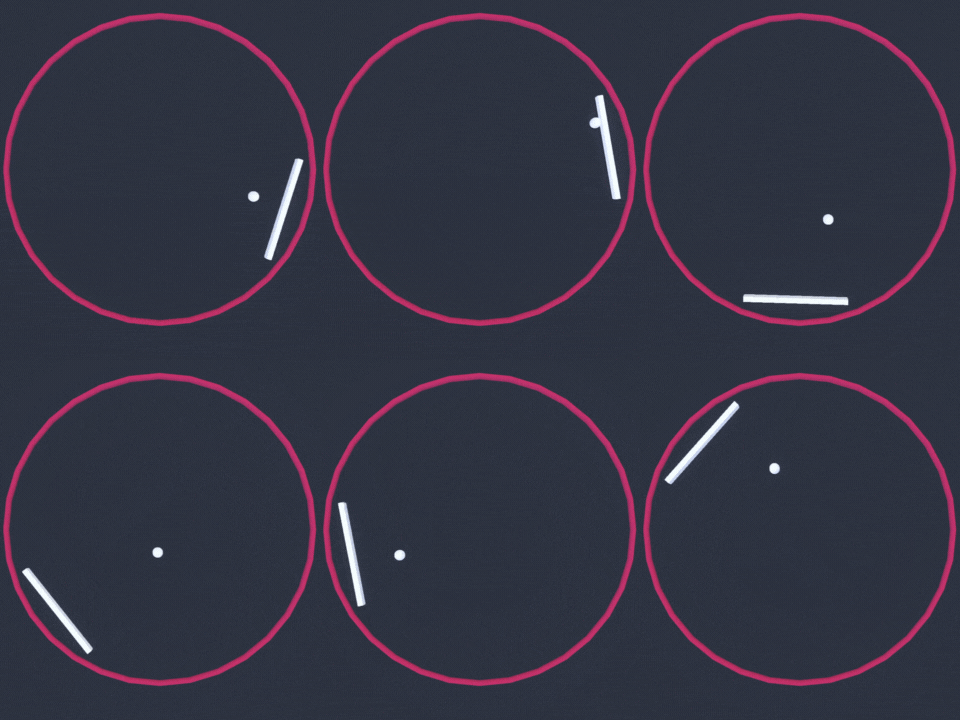
环形乒乓球
Installing the Godot Game Engine
安装戈多游戏引擎
The Godot game engine is an open source tool for the creation of video games, tools and user interfaces.
GoDot游戏引擎是一个用于创建视频游戏、工具和用户界面的开源工具。
Godot Engine is a feature-packed, cross-platform game engine designed to create 2D and 3D games from a unified interface. It provides a comprehensive set of common tools, so users can focus on making games without having to reinvent the wheel. Games can be exported in one click to a number of platforms, including the major desktop platforms (Linux, macOS, Windows) as well as mobile (Android, iOS) and web-based (HTML5) platforms.
GoDot Engine是一个功能丰富的跨平台游戏引擎,旨在从统一的界面创建2D和3D游戏。它提供了一套全面的常用工具,因此用户可以专注于制作游戏,而不必重新发明轮子。游戏可以一键导出到多个平台,包括主要的桌面平台(Linux、MacOS、Windows)以及移动平台(Android、iOS)和基于网络的(HTML5)平台。
While we will guide you through the steps to implement your agent, you may wish to learn more about the Godot Game Engine. Their documentation is thorough, there are many tutorials on YouTube we would also recommend GDQuest, KidsCanCode and Bramwell as sources of information.
虽然我们将指导您完成实现代理的步骤,但您可能希望了解更多关于GoDot游戏引擎的信息。他们的文档很详尽,YouTube上有很多教程,我们也推荐GDQuest、KidsCanCode和Bramwell作为信息来源。
In order to create games in Godot, you must first download the editor. The latest version Godot RL agents was updated to use Godot 4 beta, as we are expecting this to be released in the next few months.
为了在GoDot中创建游戏,您必须首先下载该编辑器。最新版本的GodoRL代理已更新为使用Godot4测试版,因为我们预计该版本将在未来几个月内发布。
At the time of writing the latest beta version was beta 14 which can be downloaded at the following links:
在撰写本文时,最新的测试版是测试版14,可从以下链接下载:
Loading the starter project
WindowsMacLinux加载入门项目
We provide two versions of the codebase:
我们提供两个版本的代码库:
- A starter project, to download and follow along for this tutorial
- A final version of the project, for comparison and debugging.
To load the project, in the Godot Project Manager click Import, navigate to where the files are located and load the project.godot file.
一个入门项目,下载并跟随本教程学习该项目的最终版本,用于比较和调试。要加载项目,请在Godot项目管理器中单击导入,导航到文件所在的位置,然后加载project t.godot文件。
If you press F5 or play in the editor, you should be able to play the game in human mode. There are several instances of the game running, this is because we want to speed up training our AI agent with many parallel environments.
如果你按F5或在编辑器中玩,你应该能够在人类模式下玩游戏。有几个游戏运行的实例,这是因为我们想要在许多并行环境中加快训练我们的AI代理。
Installing the Godot RL Agents plugin
安装GoDot RL代理插件
The Godot RL Agents plugin can be installed from the Github repo or with the Godot Asset Lib in the editor.
GoDot RL代理插件可以从Github Repo安装,也可以在编辑器中使用GoDot资源库安装。
First click on the AssetLib and search for “rl”
首先点击AssetLib并搜索“rl”
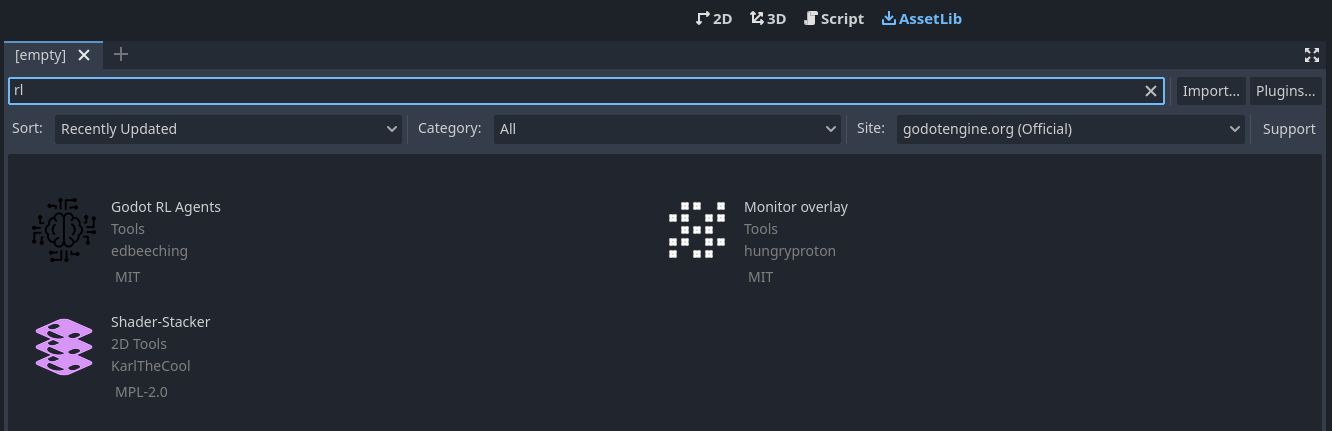
Then click on Godot RL Agents, click Download and unselect the LICIENSE and README.md files. Then click install.
戈多然后点击戈多RL代理,点击下载并取消选择LICIENSE和Readme.md文件。然后单击Install。
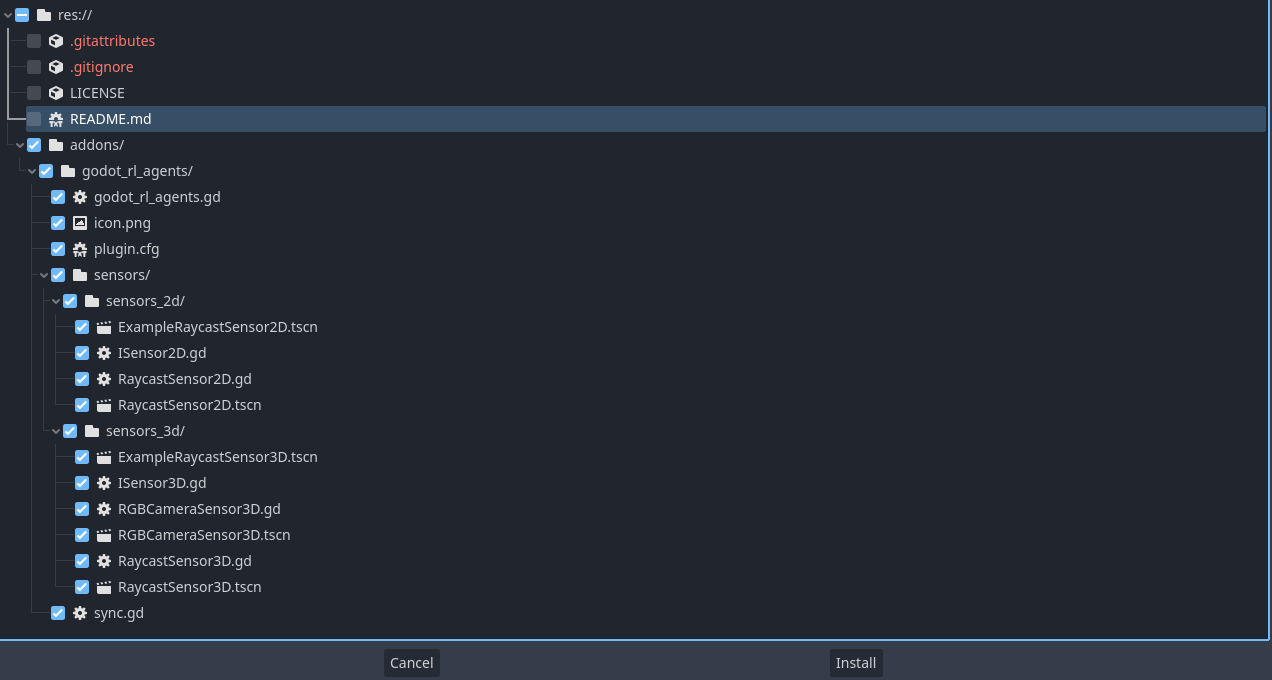
The Godot RL Agents plugin is now downloaded to your machine your machine. Now click on Project → Project settings and enable the addon:
戈多,戈多RL代理插件现在已下载到您的机器上。现在点击项目→项目设置并启用该加载项:

戈多
Adding the AI controller
添加AI控制器
We now want to add an AI controller to our game. Open the player.tscn scene, on the left you should see a hierarchy of nodes that looks like this:
我们现在想在我们的游戏中添加一个人工智能控制器。打开player.tscn场景,在左侧应看到如下所示的节点层次:
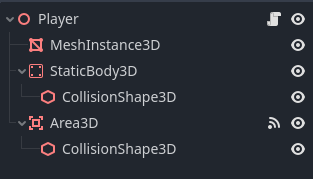
Right click the Player node and click Add Child Node. There are many nodes listed here, search for AIController3D and create it.
戈多在球员节点上单击鼠标右键并单击添加子节点。这里列出了许多节点,搜索AIController3D并创建它。
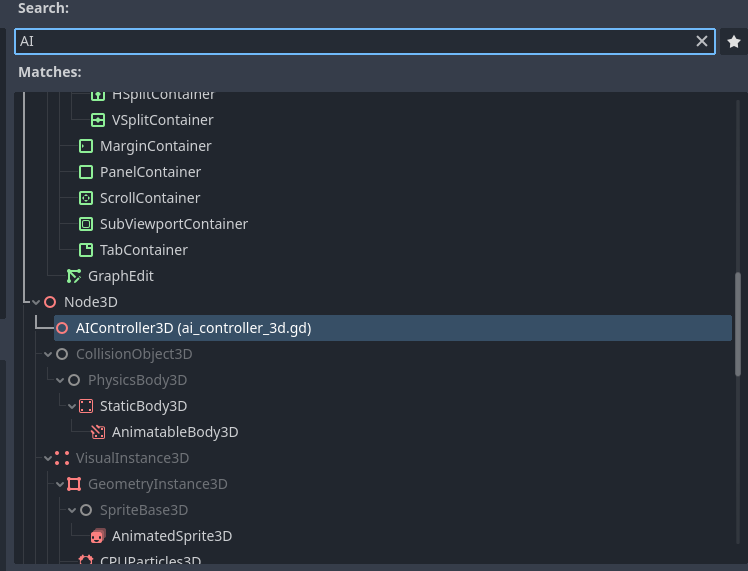
The AI Controller Node should have been added to the scene tree, next to it is a scroll. Click on it to open the script that is attached to the AIController. The Godot game engine uses a scripting language called GDScript, which is syntactically similar to python. The script contains methods that need to be implemented in order to get our AI controller working.
人工智能控制器节点戈多应该已经添加到场景树中,它旁边是一个卷轴。单击它以打开附加到AIController的脚本。GoDot游戏引擎使用一种名为GDScript的脚本语言,该脚本语言在语法上类似于Python。该脚本包含为使我们的AI控制器工作而需要实现的方法。
1 | |
In order to implement these methods, we will need to create a class that inherits from AIController3D. This is easy to do in Godot, and is called “extending” a class.
为了实现这些方法,我们需要创建一个继承自AIController3D的类。在GoDot中很容易做到这一点,这称为“扩展”类。
Right click the AIController3D Node and click “Extend Script” and call the new script controller.gd. You should now have an almost empty script file that looks like this:
右键点击AIController3D节点,点击[扩展脚本],将新脚本命名为Controler.gd。现在,您应该有一个几乎为空的脚本文件,如下所示:
1 | |
We will now implement the 4 missing methods, delete this code and replace it with the following:
我们现在将实现缺少的4个方法,删除此代码并将其替换为以下代码:
1 | |
We have now defined the agent’s observation, which is the position and velocity of the ball in its local cooridinate space. We have also defined the action space of the agent, which is a single contuninous value ranging from -1 to +1.
我们现在已经定义了代理的观察,即球在其局部坐标空间中的位置和速度。我们还定义了代理的动作空间,它是从-1到+1的单个连续值。
The next step is to update the Player’s script to use the actions from the AIController, edit the Player’s script by clicking on the scroll next to the player node, update the code in Player.gd to the following the following:
下一步是更新播放器的脚本以使用AIController中的操作,通过单击播放器节点旁边的滚动条编辑播放器的脚本,将Player.gd中的代码更新为以下内容:
1 | |
We now need to synchronize between the game running in Godot and the neural network being trained in Python. Godot RL agents provides a node that does just that. Open the train.tscn scene, right click on the root node and click “Add child node”. Then, search for “sync” and add a Godot RL Agents Sync node. This node handles the communication between Python and Godot over TCP.
现在,我们需要在GoDot中运行的游戏和在Python中训练的神经网络之间进行同步。GodoRL代理提供了一个执行此操作的节点。打开Train.tscn场景,在根节点上点击鼠标右键并点击[添加子节点]。然后,搜索“sync”并添加一个GodoRL代理同步节点。此节点处理通过TCP在Python和GoDot之间进行的通信。
You can run training live in the the editor, but first launching the python training with python examples/clean_rl_example.py —env-id=debug
您可以在该编辑器中实时运行培训,但首先使用python Examples/lean_rl_example.py-env-id=debug启动python培训。
In this simple example, a reasonable policy is learned in several minutes. You may wish to speed up training, click on the Sync node in the train scene and you will see there is a “Speed Up” property exposed in the editor:
在这个简单的例子中,一个合理的策略在几分钟内就学会了。您可能希望加快培训速度,点击列车场景中的同步节点,您将看到在编辑器中显示了一个“提速”属性:
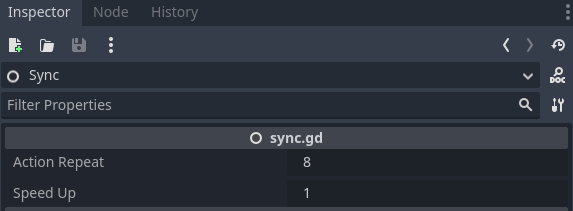
Try setting this property up to 8 to speed up training. This can be a great benefit on more complex environments, like the multi-player FPS we will learn about in the next chapter.
戈多尝试将此属性设置为8,以加快培训速度。这在更复杂的环境中可能是一个很大的好处,比如我们将在下一章中了解的多玩家FPS。
There’s more!
还有更多!
We have only scratched the surface of what can be achieved with Godot RL Agents, the library includes custom sensors and cameras to enrich the information available to the agent. Take a look at the examples to find out more!
我们只触及了GodoRL代理可以实现的表面,该库包括定制传感器和摄像头,以丰富代理可用的信息。请看下面的示例以了解更多信息!
Author
作者
This section was written by Edward Beeching
本部分由Edward Beeching撰写